Packages and prices

IPTV Subscription Canada: Packages and Prices in CAD

One IPTV subscription opens everything: 20,000+ live channels, 90,000+ movies and series, the TV guide and catch-up, on the TV or phone you already own. Every package has the same channels. You only choose how long to pay for, from $15.99 a month down to $7.50.

Packages

IPTV subscription packages and prices

Prices are for one screen, in Canadian dollars, paid once for the whole plan. Watching on two or three TVs at once? Add extra screens.

Try it out

1 Month IPTV subscription

$15.99CAD

$15.99 per month

  • Every live channel and the full VOD library
  • HD, Full HD and 4K where available
  • TV guide (EPG) and catch-up TV
  • Works on Smart TV, Fire TV, Roku, phone and more
  • Anti-freeze servers in North America
  • Setup help from our support team
Order 1 Month

1 screen · Pay by Interac e-Transfer

Flexible

3 Months IPTV subscription

$39.99CAD

$13.33 per month Save 17%

  • Every live channel and the full VOD library
  • HD, Full HD and 4K where available
  • TV guide (EPG) and catch-up TV
  • Works on Smart TV, Fire TV, Roku, phone and more
  • Anti-freeze servers in North America
  • Setup help from our support team
Order 3 Months

1 screen · Pay by Interac e-Transfer

Popular

6 Months IPTV subscription

$59.99CAD

$10.00 per month Save 37%

  • Every live channel and the full VOD library
  • HD, Full HD and 4K where available
  • TV guide (EPG) and catch-up TV
  • Works on Smart TV, Fire TV, Roku, phone and more
  • Anti-freeze servers in North America
  • Setup help from our support team
Order 6 Months

1 screen · Pay by Interac e-Transfer

Free 24-hour trial first Pay by Interac e-Transfer Prepaid, nothing auto-renews Setup help included

Compare

IPTV Canada prices compared, plan by plan

Same channels and features on every row. What changes is the cost per month and how often you renew.

Savings compared with paying $15.99 every month
PlanPriceCost per monthSavings vs monthlyWho it suits
1 Month$15.99$15.99Base priceYour first paid month after the trial, or a short family visit.
3 Months$39.99$13.3317%, or $7.98One season of your favourite sport, or a summer at the cottage.
6 Months$59.99$10.0037%, or $35.95The long winter, from the first snowfall until the ice goes out.
12 Months$89.99$7.5053%, or $101.89Homes that have cut cable for good. The lowest cost per month.

If you're new to us, don't jump straight to 12 months. Take the free trial, then a shorter plan. Once a few weekend evenings have played on your TV without trouble, the 12-month plan is where the savings are.

A price list can't prove who's the best IPTV in Canada, ours included. Your own TV on your own internet can. Our checklist for choosing an IPTV provider lists what to test, and our best IPTV Canada comparison shows how services stack up.

Included

What every IPTV subscription plan includes

You get 20,000+ live channels and 90,000+ movies and series, plus setup help from our support team. Nothing is held back for a paid add-on or a pricier tier.

Canadian live TV

Canadian news and local channels from across the country, so the 6 o'clock news is on in Halifax, Kelowna or anywhere in between. In Ontario? Read our Toronto and Ontario guide.

Sports channels

Hockey, football, soccer, basketball, baseball and fight nights on dedicated sports channels, many in Full HD.

International channels

South Asian, Arabic, Portuguese, Filipino, Italian, Caribbean, Chinese and Latin American channels, among others. Good news for grandparents who want TV in their own language.

Movies and series (VOD)

90,000+ movies and series you start whenever you want. Pause, rewind and pick up later.

Kids and family

Cartoons, family movies and kids channels. Most player apps have a parental PIN to lock what isn't for little eyes. More on IPTV for kids.

Features

IPTV features you'll use every day

  • TV guide (EPG)

    See what's on now and next for every channel and scroll ahead through the evening. The first load can take a minute. After that it's quick.

  • Catch-up TV

    Missed the first period or the evening news? On channels with catch-up, look for the clock or rewind icon and play what already aired.

  • 4K where available

    Some sports and movies come in 4K. You need a 4K TV or stick and about 25 Mbps. Everything else plays in HD or Full HD.

  • Anti-freeze servers in North America

    Your stream doesn't cross an ocean to reach you, which helps on busy nights. It can't fix weak Wi-Fi in the basement, though.

Extra screens

Extra screens for watching on more than one TV

A screen, also called a connection, is one stream playing at one time. It isn't tied to one TV. Put the app on the living room TV, the bedroom Fire TV Stick and your phone with the same login. With one screen, only one of them plays at a time. Start a second stream and you'll see a "maximum connections" message.

Count the people watching at the same moment, not the TVs. Hockey in the living room while the kids watch cartoons upstairs is two screens. Extra screens cover the whole plan and end on the same date as your first one.

Price for the whole plan, in Canadian dollars
Plan1 screen2 screens total3 screens total
1 Month$15.99$22.99$29.99
3 Months$39.99$57.99$75.99
6 Months$59.99$88.99$117.99
12 Months$89.99$134.99$179.99

The basics

How an IPTV service gets to your TV

Cable comes into your home on a coax wire. IPTV sends the same kind of live channels over your regular internet, the connection you already pay Bell, Rogers, Videotron, Telus or TekSavvy for.

We run the channels on our servers. You install a player app on your TV or streaming stick and type in the login we send. The app loads the channel list and TV guide, and you flip channels with your remote like always. The login is either a username, password and server address (Xtream Codes) or a single M3U link. The M3U and Xtream setup steps show where each one goes.

The part we can't control is your internet. Weak Wi-Fi where the TV sits shows up as the buffering wheel. It's what we help with most, and an ethernet cable or the 5 GHz network usually sorts it out.

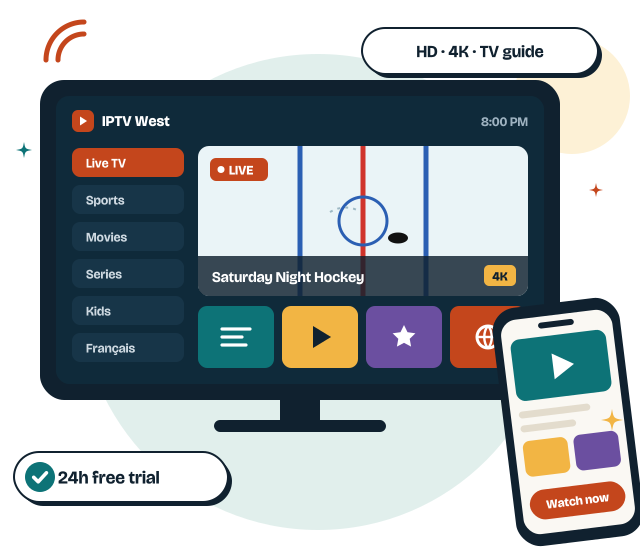
IPTV subscription in Canada playing on a TV and a phone, with the channel list and TV guide open

Before you start

What you need to watch IPTV

Three things. You probably have two already.

Internet speed

About 10 Mbps per screen for HD and 25 Mbps for 4K. A steady signal matters more than a big number, so use ethernet or 5 GHz Wi-Fi. Run our IPTV speed test or read how much speed IPTV needs.

A device

A Fire TV Stick, Android TV or Google TV box, Samsung or LG Smart TV, Apple TV, Roku, a computer, or an iPhone, iPad or Android phone. No box to rent. Our device setup guides cover each one.

A player app

IPTV Smarters Pro, TiviMate and IBO Player are the ones we help with most. Some charge a small fee to the app maker, not to us. Start with our IPTV Smarters Pro guide.

Order and pay

How to order and pay with Interac e-Transfer

We take Interac e-Transfer. The money goes from your bank to ours and no card is stored anywhere, so nothing can be charged again without you.

  1. Pick a plan and check out

    Press Order on any plan above. The checkout asks for your name, email and phone, the number of screens and your channel package. It takes about two minutes.

  2. Copy the Interac details

    The next screen shows everything you need, each with a Copy button: the recipient (ITLOGY LLC, the company that handles IPTV West payments), the email to send it to, the exact amount in CAD and your order number.

  3. Send it from your banking app

    Look for Send money or Interac e-Transfer, add the recipient as a new contact and paste the amount. It works the same at RBC, TD, BMO, Scotiabank, CIBC, Desjardins and most credit unions. Paste your order number in the message box so we can match the payment.

  4. We email your login

    As soon as the e-Transfer arrives, we send your username, password and server address, or your M3U link. Logins go out during support hours: 7 days a week, 9 a.m. to midnight (Eastern Time). With Autodeposit, the transfer normally clears in a few minutes, though a bank will sometimes hold a first payment to a new contact for a security check.

  5. Install and watch

    Follow the guide for your device: Fire TV Stick, Samsung, LG, Android TV, Apple TV or iPhone and iPad. Stuck? Message us and we'll walk you through it.

Renewal

What happens when your plan ends

Nothing renews by itself. An Interac e-Transfer is a payment you send by hand, so there's no card on file for us to charge. Before your end date, we email you a reminder. Then it's your call:

  • Keep watching. Reply to the reminder, pick any plan (it doesn't have to match your last one) and send the e-Transfer. Your login stays the same, so there's nothing to set up again.
  • Change your screens. Add one for the kids' room, or drop one nobody uses.
  • Stop. Do nothing. The service ends on the end date. No phone call, no cancellation fee.

Not sure of your end date? Ask us. The fine print is in our cancellation policy and refund policy.

Compared

IPTV subscription vs cable

Cable still wins on one thing, and it's in the table. For most homes with decent internet, IPTV costs less and asks less of you.

What mattersIPTV subscriptionCable TV
How it reaches youOver your home internetCoax wire from the cable company
ContractNone. Plans from 1 to 12 monthsOften 1 or 2 years, or a promo price that rises later
EquipmentThe TV, stick or phone you already ownRented box, often with a monthly fee
ChannelsCanadian, sports, French and international on every planPackages and add-ons, priced separately
PriceFrom $7.50 a month (12-month plan)Depends on the provider and package
Another TVAdd a screen from $7.00Another box for each TV
Moving houseTake your login with youTransfer or cancel the account
Internet goes downNo live TV until it's backKeeps working

Want to see the dollars side by side? Our IPTV vs cable cost breakdown for Canada adds it all up, and why people switch to IPTV covers the rest.

FAQ

IPTV subscription questions

Something we didn't cover? Ask our support team in English or French. We answer 7 days a week, 9 a.m. to midnight (Eastern Time).

How much does an IPTV subscription cost in Canada?

With IPTV West, it's $15.99 CAD for one month, or $89.99 for 12 months, which works out to $7.50 a month. Every plan has the same channels and features. Longer plans just cost less per month.

How do I pay for IPTV with Interac e-Transfer?

Press Order on a plan and the checkout shows the recipient, the email address, your exact total in CAD and your order number, each with a Copy button. Then send the e-Transfer from your banking app with the order number in the message. We never ask for a card number or your banking password. The payment steps walk you through it.

How fast do I get my login after paying?

We send it as soon as your e-Transfer reaches us during support hours, 7 days a week, 9 a.m. to midnight (Eastern Time). With Autodeposit, the money usually lands within minutes. If it arrives after hours, your login goes out when we're back. Now and then a bank holds a first transfer to a new contact, which adds a delay.

Is the service stable at peak hours, like Saturday night hockey?

Our servers are in North America and set up for the evening rush, but no IPTV service is perfect on the busiest playoff nights. Most freezing we see comes from Wi-Fi, not the server, so try ethernet or 5 GHz first. The best way to find out is to watch a live game during your 24-hour free trial. If a channel still lags, tell us which one and when, and we'll check it.

Can I use one IPTV subscription on two TVs?

You can install it on as many devices as you like, but one screen plays one stream at a time. To watch on two TVs at once, add a screen for $7.00 on the 1-month plan or $45.00 on the 12-month plan. The extra screens table has every price.

Does my IPTV plan renew automatically?

No. There's no card on file, so nothing is charged without you. We email a reminder before your plan ends, and you renew only if you want to.

Do I need a special IPTV box?

No. A Fire TV Stick, Android TV box, Apple TV or the Smart TV you already own works. If your TV is older and its app store is limited, a Fire TV Stick is usually the cheapest fix. Our Fire TV Stick setup guide shows every step.

Can I get a refund if it doesn't work on my TV?

Take the free trial first, so you know before you pay. If something goes wrong later, write to us, since most problems are a setting or Wi-Fi issue we can fix. Our refund policy covers the first 7 days and explains the conditions.

Test it before you pay a cent

Take the free 24-hour trial on your own TV. If you like it, the 12-month plan works out to $7.50 a month.